Sunrise and Sunset times on Tee Sheet
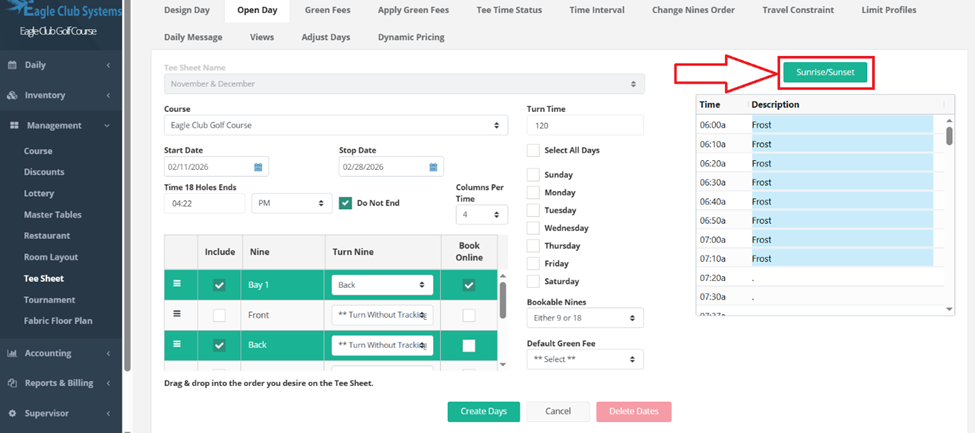
Go to Management, Tee Sheet, Open Day. Choose your template as you normally would. Fill in your start and stop dates. Check your turn time, check off the days of the week. Check off include and your turns.
On the top right, click on the green button that says Sunrise/Sunset.
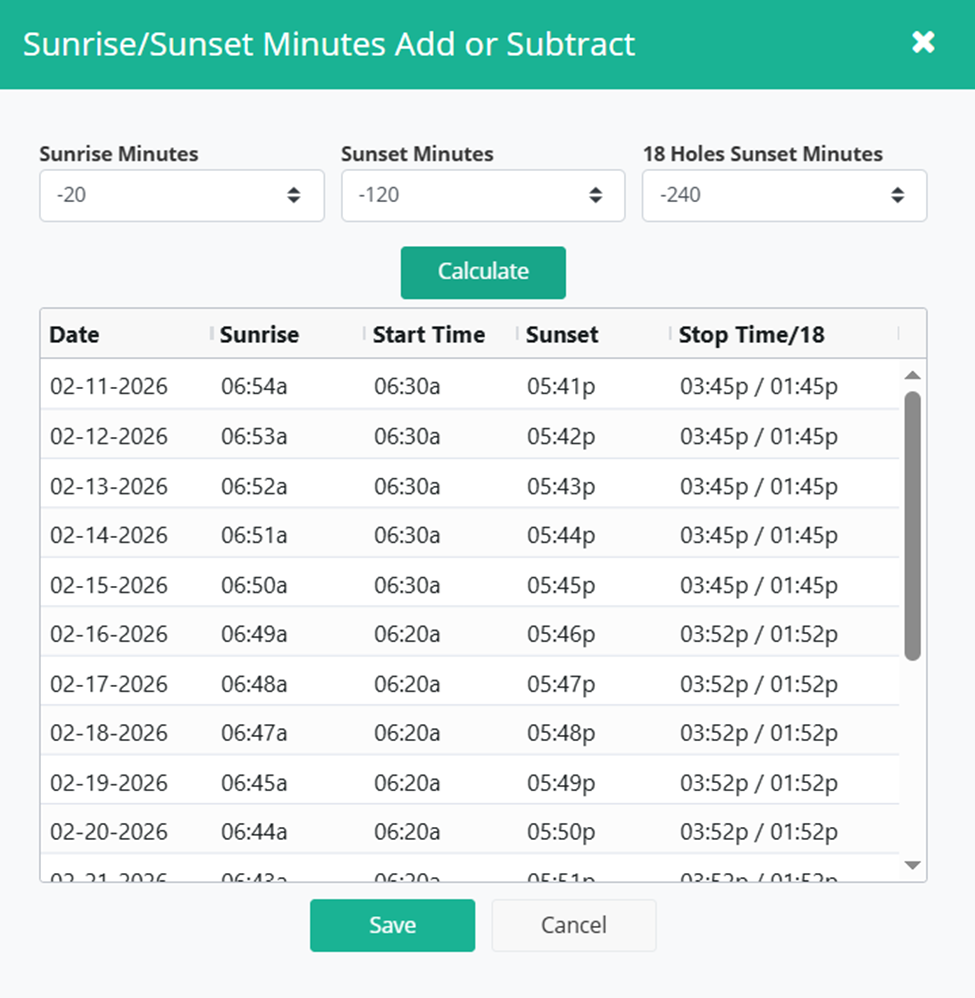
If you want your first tee time to be at first light, say, 20 minutes before sunrise, choose the -20. If you wanted your last tee time to be two hours before sunset, and your last 18 holes to be available 4 hours before sunset, your page would look like this.
Once you press calculate, it will show you the sunrise and sunset times for those individual days and what start and stop times will show on the tee sheet.
This is showing a stop time of 3:45pm with the last 18 holes available at 1:45pm. The start time will be at 6:30am for that day. If you look down the chart, you will see the times change slightly with each day.
After you review it, press save, then create days.
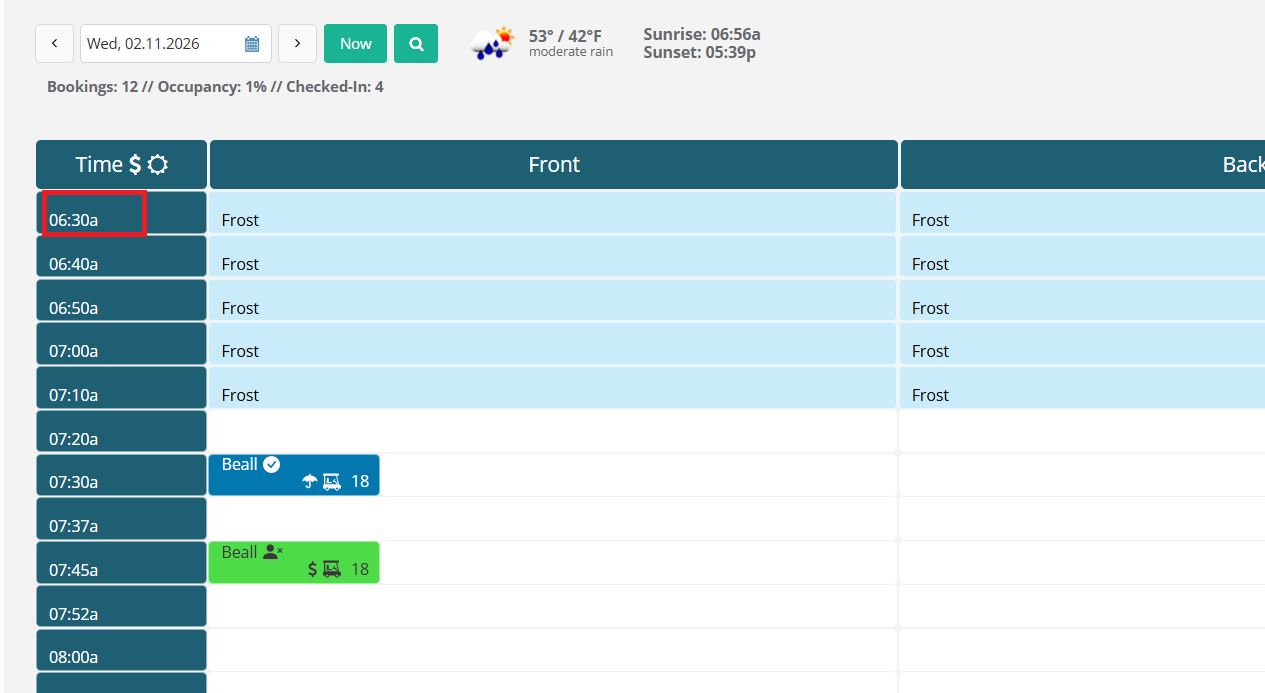
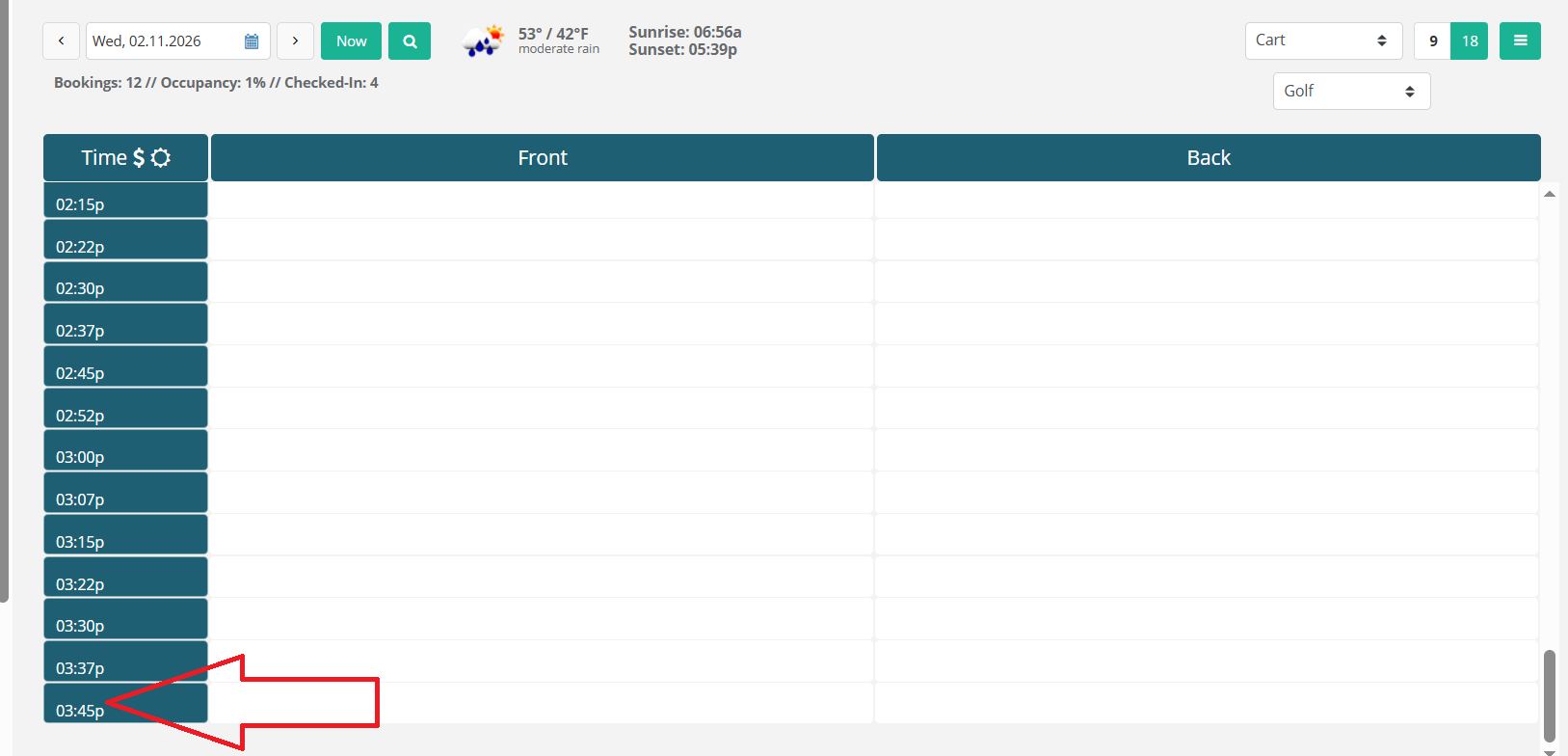
If you then look at your tee sheet, for this example on the 11th, the start time is 6:30am and the last time is 3:45pm. The last 18 holes is available at 1:45. (the closest to the 4 hrs requested).
The November-December tee sheet being used started at 6am. This function changed the start time to 6:30am based on the choices made under Open Day, Sunrise/Sunset.
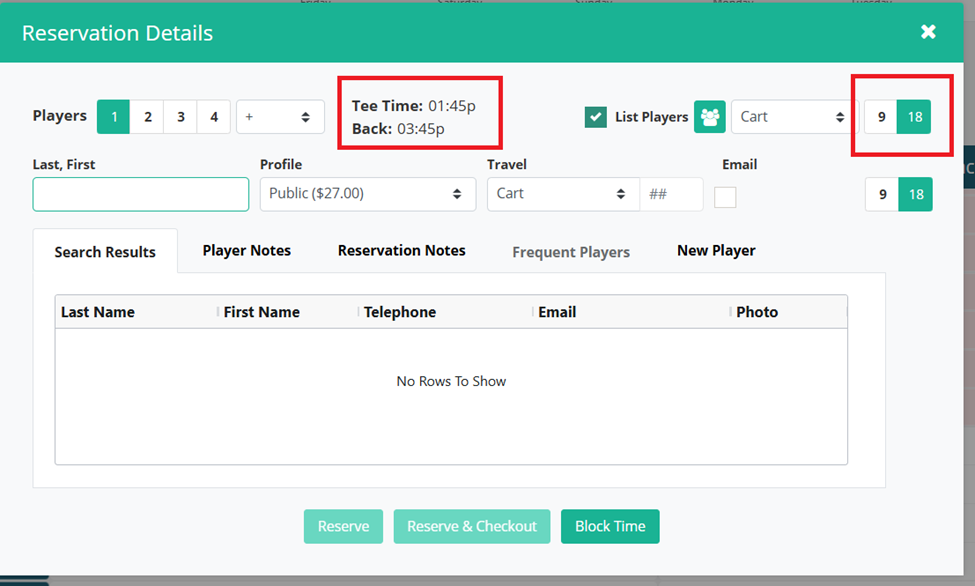
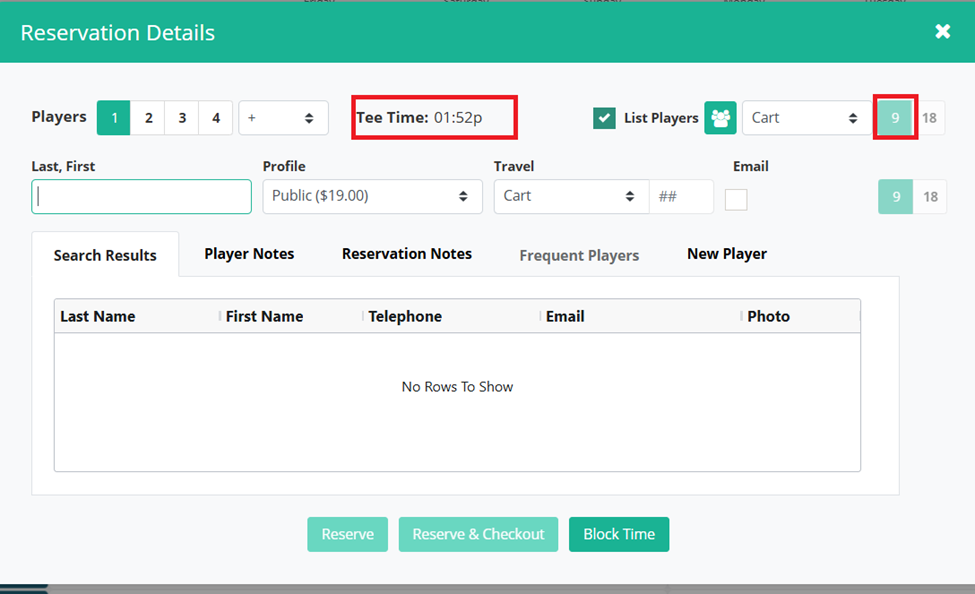
The stop time for the day is now changed from 6:22pm on the original tee sheet format for this day to 3:45pm as chosen.
Was this article helpful?
That’s Great!
Thank you for your feedback
Sorry! We couldn't be helpful
Thank you for your feedback
Feedback sent
We appreciate your effort and will try to fix the article